Logistics Made Simple
Assigning hundreds of attendees to specific tables or rooms doesn't have to be a spreadsheet nightmare.
RCS provides a dedicated interface for managing capacity and assignments. Whether you are seating 500 people for a gala dinner or assigning bunk-mates for a weekend retreat, you can configure your inventory, define occupancy limits, and assign registered attendees with a few clicks.
The Assignment Workflow
1. Configure Capacity
Admin creates "Event Items" that represent a physical space (e.g., "Table 5" or "Cabin A"). Set strict occupancy limits to prevent overbooking.
2. Assign Attendees
View a list of unassigned attendees who purchased the event. Simply select them and assign them to their respective slot.
3. Print & Verify
Generate physical tickets that clearly display the attendee's "Table 5" or "Room 202" assignment for smooth entry.
Catering & Reports
Generate reports showing meal counts per table (e.g., "Table 12: 8 Beef, 2 Vegan") for catering staff.
Export complete rooming lists to ensure housekeeping and front-desk staff know exactly who is staying where.
Print individualized tickets acting as both entry passes and meal vouchers with specific meal selections.
Interface Gallery
Screenshots of the configuration and assignment process.
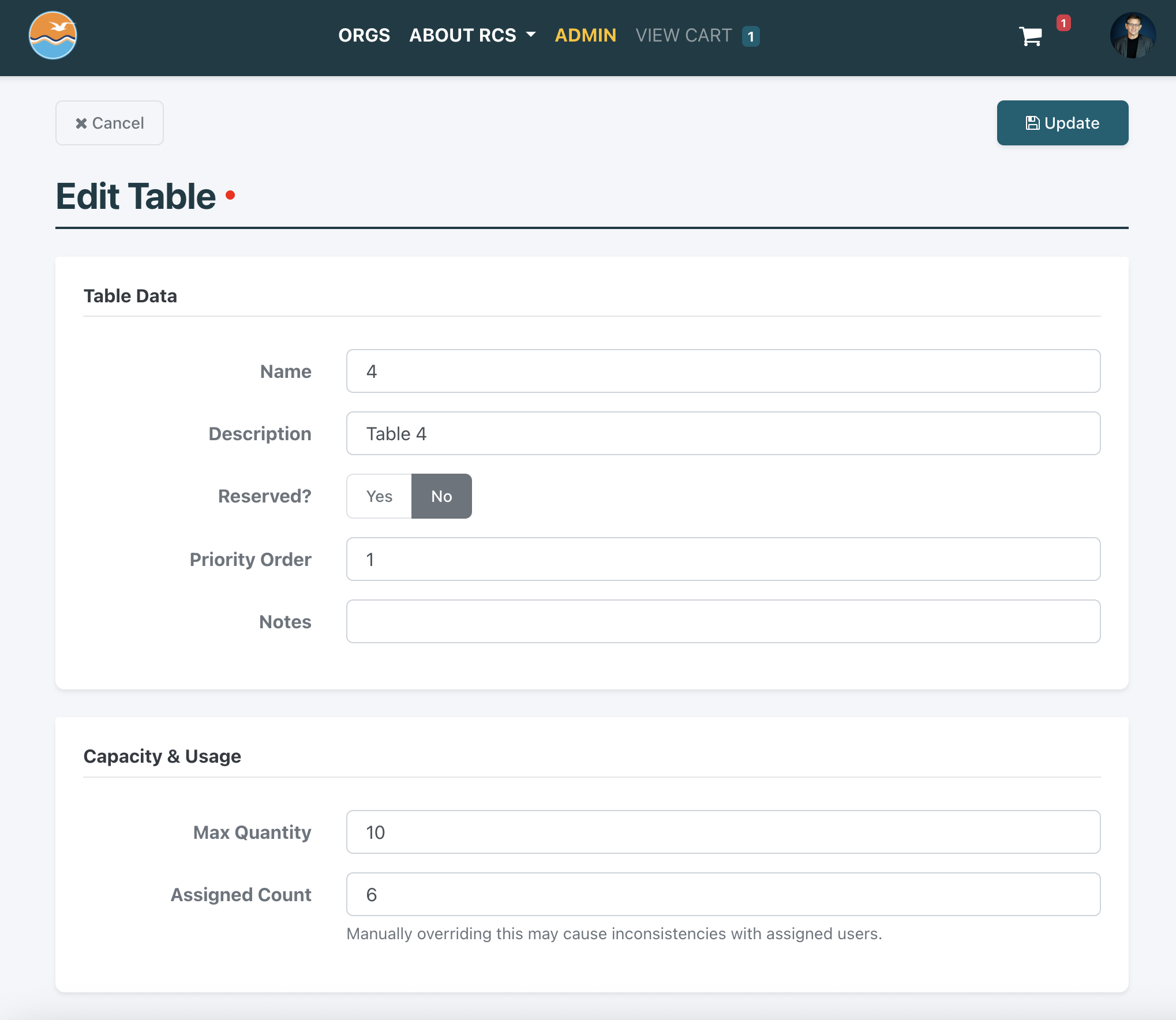
Step 1: Configuring Tables
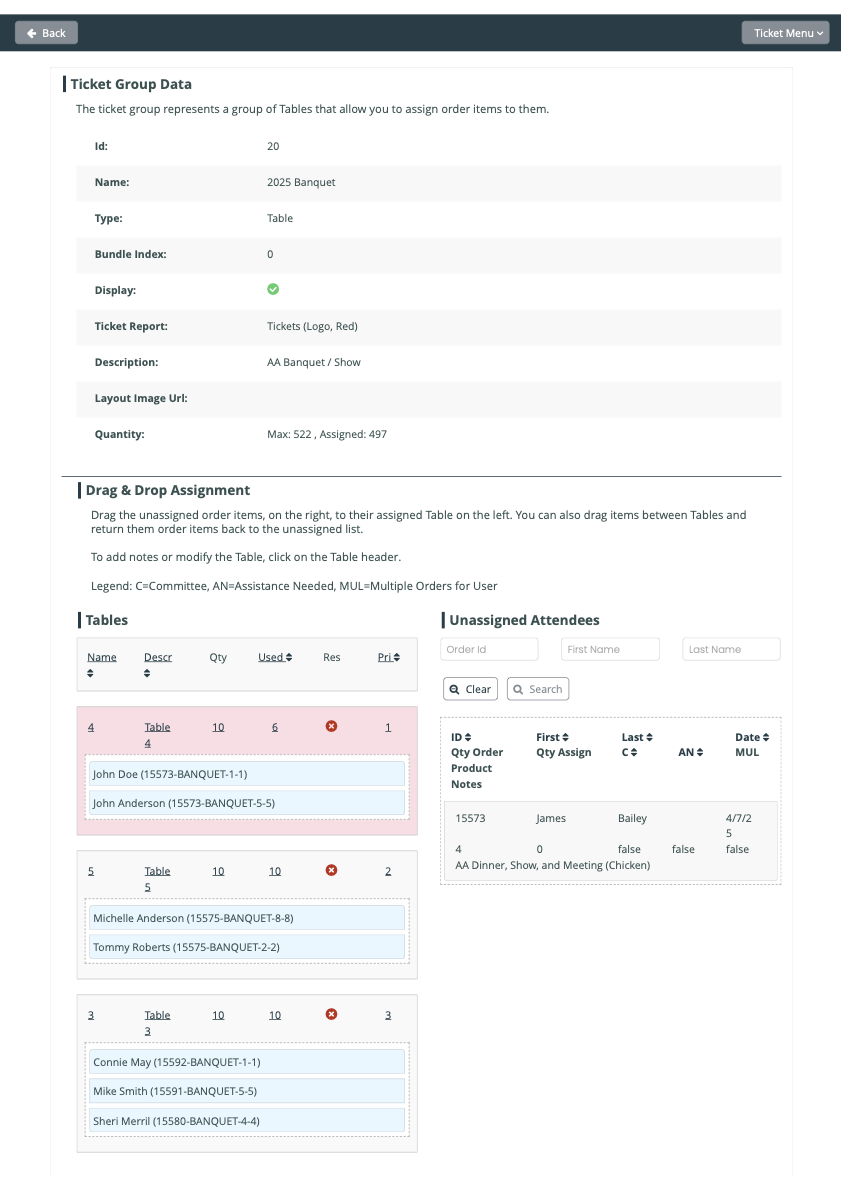
Step 2: Assigning Guests
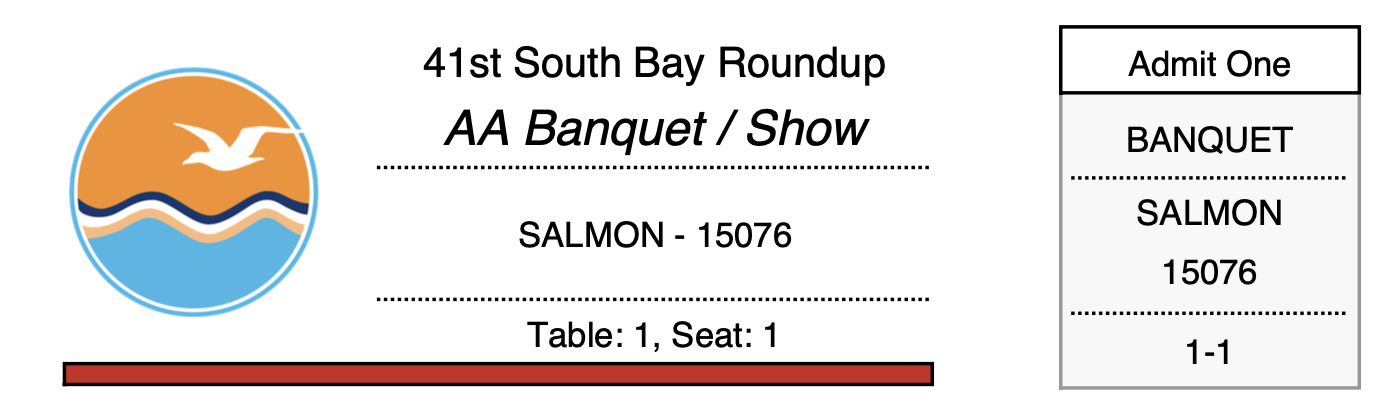
Step 3: Printed Ticket